
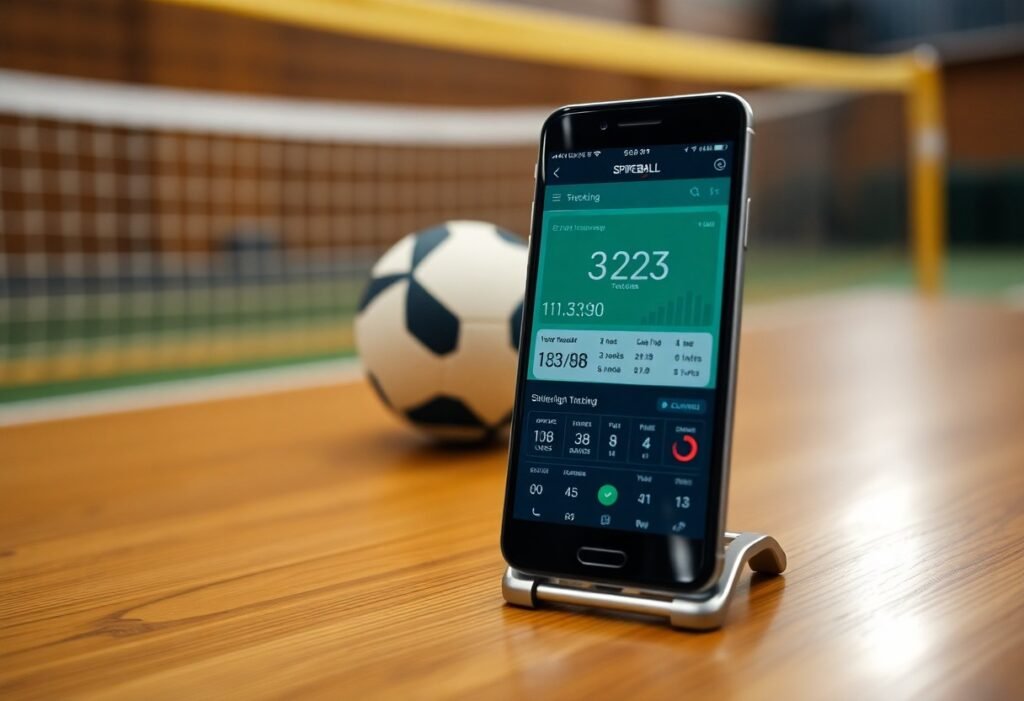
There’s an excellent way for you to enhance your Spikeball experience with the Spikeball app, which allows you to efficiently track scores and analyze your game statistics. This app not only simplifies scoring but also provides insights into your performance, helping you refine your skills. With its user-friendly interface, you can easily manage games with friends or in tournaments, all while gaining valuable feedback on your stats. Discover how this app can elevate your gameplay and keep you engaged with the Spikeball community.
Key Takeaways:
- Intuitive user interface simplifies tracking scores and stats during Spikeball games.
- Offers features such as score history and player statistics for enhanced gameplay analysis.
- Encourages community engagement through event organization and sharing capabilities.
How to Get Started with the Spikeball App
Downloading the App
Begin by downloading the Spikeball app from the Apple App Store or Google Play Store. The app is free to download, making it accessible for all Spikeball enthusiasts. Simply search for “Spikeball” and tap the download button to install it on your device.
Setting Up Your Account
After installing the app, you’ll need to set up your account to access its full range of features. Following the prompts, you can quickly create an account using your email or by connecting through a social media platform.
Once you choose your preferred method, input your details and verify your email if necessary. You might want to consider setting a strong password to ensure your account’s security. The app allows you to customize your profile, including your player information, which enhances the experience of tracking your progress and connecting with friends.
Navigating the User Interface
Upon opening the app, you’ll find a well-organized interface that makes it easy to navigate through various features including game tracking and stats monitoring. A simple layout ensures that you can quickly find the information you need without feeling overwhelmed.
The main dashboard displays your ongoing games, score history, and recent activity at a glance. Intuitive icons guide you through adding matches and entering scores, while a dedicated menu bar leads to settings, player profiles, and historical stats. This clean design minimizes distractions, allowing you to focus on your game and performance.
How to Track Scores
Creating a Match
To get started, open the Spikeball app and select “Create a Match.” This allows you to set up the details, including teams, players, and match type. You can quickly invite friends or search for players nearby, making it easier to organize your games.Spikeball Tournaments – App Store helps facilitate this process seamlessly.
Inputting Scores During the Match
Inputting scores is straightforward; simply tap on the score box during gameplay to update the current score. You can input scores for each team with ease, ensuring that you don’t miss a beat while playing.
With the built-in score input feature, inputting scores can be done with just a few taps. You are also able to see the overall score trends as you input, which can heighten the competitive edge and excitement of the match, allowing for immediate recognition of scoring challenges or leading players.
Accessing Real-Time Score Updates
You can access real-time updates through the app, allowing you to track both your performance and your opponents’ scores instantly. This feature keeps you and your teammates informed at all times.
The real-time score updates foster a competitive environment by displaying ongoing match stats. This means you can analyze your strategies and adjust your gameplay dynamically, enhancing your overall performance and enjoyment of the game. You’ll never miss a scoring moment or critical update again.
How to Analyze Game Statistics
Understanding the Stats Dashboard
The Stats Dashboard provides a comprehensive view of your game performance, showcasing key metrics like wins, losses, and individual player contributions. You’ll find data visualizations that highlight trends in your gameplay, enabling you to quickly identify areas for improvement. Filters allow you to view stats by player or match type, ensuring you have specific insights at your fingertips.
Tracking Player Performance
Tracking player performance is vital for assessing strengths and weaknesses in your gameplay. Each player’s stats are individually recorded, detailing points scored, serves made, and defensive saves. This information helps you tailor practice sessions and strategize team dynamics during matches.
By focusing on individual metrics, you can pinpoint which players excel in specific roles. For instance, if your ace server consistently ranks high in service points, you might want to utilize their skills strategically in future games. Conversely, identifying players who struggle with returns can direct training efforts toward enhancing their abilities. This targeted approach not only bolsters individual skills but also boosts overall team performance.
Utilizing Historical Data
Utilizing historical data allows you to compare past performances against current statistics. By analyzing trends over time, you can identify if your strategies are yielding results or if adjustments are needed. This longitudinal perspective provides a clearer picture of your improvement trajectory and informs future game plans.
Dive deep into historical match data to assess patterns such as player matchups, win-loss ratios, and recurring performance trends. For example, if data shows lower performance against specific opponents consistently, you can adjust your strategy accordingly. With these insights, you’re empowered to make informed decisions that enhance your competitiveness in the long run.
Tips for Optimizing Your Spikeball Experience
- Stay organized by documenting scores after each match.
- Use reminders to schedule games with friends.
- Engage with community features to find new opponents.
- Review stats to identify areas for improvement.
Best Practices for Entering Scores
Accurate score entry ensures your statistics reflect your gameplay. Input scores immediately after each match to prevent discrepancies. Use the app’s features to double-check totals and verify with your opponent to maintain fairness. By staying consistent with how you enter scores, you enhance the overall experience for everyone involved.
Utilizing Notifications and Reminders
Notifications keep you updated on upcoming games and events. Set reminders within the Spikeball app to alert you about scheduled matches, so you never miss an opportunity to play. Utilizing these tools streamlines your game planning.
By customizing notification settings, you can prioritize what matters most, such as reminders for matches with friends or alerts for local tournaments. This makes it easier to stay engaged in the Spikeball community and ensures you’re always prepared for your next game.
Engaging with Community Features
Being part of the Spikeball community enhances your experience significantly. Interacting with other players through the app helps you improve your skills and meet new opponents. Engage in discussions, join teams, and share your achievements widely.
The community features also offer insights into player rankings, upcoming local tournaments, and shared tips on improving gameplay. This collective knowledge can serve as a valuable resource, allowing you to compete at higher levels while fostering friendships with fellow Spikeball enthusiasts. This will enhance your overall enjoyment of the game.
Factors to Consider when Using the App
- Data Accuracy
- Device Compatibility
- Trend Analysis
Importance of Accurate Data Entry
Accurate data entry is important to ensure your scores and stats reflect the true dynamics of your games. When correcting mistakes or failing to log a match, you risk distorting your performance insights over time. This consistency allows for reliable comparisons and improvements in your gameplay. Any discrepancies can lead to skewed results that undermine your tracking efforts.
Compatibility with Other Devices
The Spikeball app’s compatibility with various devices enhances your experience by allowing you to track scores seamlessly from smartphones and tablets. Whether using an iOS or Android device, you can easily sync your data across platforms. Any issues linking devices may hinder your ability to monitor performance accurately.
This compatibility ensures that regardless of the device you choose, you can input and access your statistics without limitations. Whether you’re at a tournament or playing casually, having the app accessible on your preferred device keeps you connected and informed about your performance in real time.
Analyzing Trends Over Time
Analyzing trends over time empowers you to identify strengths and weaknesses in your gameplay. The app allows you to track performance metrics, providing invaluable insights to inform your training and strategy. Any failure to evaluate these trends could result in missed opportunities for improvement.
With consistent usage, you’ll start to notice patterns in your playing style and outcomes. Whether your serves are improving or your defense needs work, these insights help you focus on specific areas, leading to more targeted practice sessions and ultimately, better results in your Spikeball matches.
Advanced Features of the Spikeball App
- Customizing Settings for Matches
- Using the App for Tournaments
- Integrating with Other Fitness Apps
| Feature | Description |
|---|---|
| Custom Match Settings | Adjust rules and scoring options tailored to your game preferences. |
| Tournament Mode | Organize and manage tournament brackets and match schedules. |
| Fitness App Integration | Link with your favorite fitness apps to track overall activity and performance. |
Customizing Settings for Matches
You can tailor match settings to fit your preferences, enabling rules such as point values, time limits, and special gameplay conditions. This flexibility ensures that you and your friends can enjoy Spikeball in a way that maximizes your fun and competitiveness. The app also allows you to save or share your customized settings for future games.
Using the App for Tournaments
The Spikeball app simplifies tournament organization, allowing you to create brackets, manage schedules, and track scores seamlessly. Using the app, you can easily invite players, update match results, and share the progress with spectators, enhancing everyone’s engagement during your event.
By utilizing the tournament features, you streamline event management, reducing the hassles of paperwork and manual tracking. With real-time updates, players can stay informed about match times and results, making the experience smoother and more enjoyable for everyone involved.
Integrating with Other Fitness Apps
The Spikeball app allows for integration with various fitness applications, enabling you to compile comprehensive data on your physical activity. This feature helps you monitor your Spikeball performance alongside workouts from other sports, fostering a holistic approach to your fitness journey.
Linking the Spikeball app with other fitness platforms lets you analyze data trends over time, giving you insights into your activity levels and performance metrics. This integration also facilitates goal-setting, motivating you to enhance both your Spikeball skills and overall fitness, ultimately supporting better health outcomes.
Conclusion
Drawing together the insights from this Spikeball app review, you now understand how effectively it tracks your scores and stats, enhancing your gameplay experience. With its user-friendly interface and comprehensive features, you can monitor your progress and improve your skills over time. This app empowers you to stay competitive and engaged with your games, making it a valuable tool for any Spikeball enthusiast. Embrace its capabilities to elevate your performance and enjoy the sport even more.
FAQ
Q: What features does the Spikeball app offer for tracking scores?
A: The Spikeball app allows users to track match scores, player statistics, and game history. It offers real-time score updates, team comparisons, and detailed performance metrics to enhance gameplay experience.
Q: Is the Spikeball app available on both iOS and Android platforms?
A: Yes, the Spikeball app is available for download on both iOS and Android devices, ensuring accessibility for a wide range of users, regardless of their preferred mobile operating system.
Q: Can I customize player profiles within the Spikeball app?
A: Yes, users can create and customize player profiles, including personal statistics, rankings, and achievements, helping to track individual progress and enhance team coordination.
Q: Does the Spikeball app support multiplayer functionality?
A: Yes, the app supports multiplayer functionality, allowing multiple users to join matches, track team scores together, and compete in real time, which enhances the social aspect of the game.
Q: Is there a cost associated with downloading or using the Spikeball app?
A: The Spikeball app is free to download with basic features. However, certain premium features or enhancements may require in-app purchases for full functionality.